 GloryBound Wiki
GloryBound Not Loading? Fixes for PC, Mobile & Console
Step-by-step troubleshooting for infinite loading screens, teleport freezes, mobile RAM crashes, and locked code menus.
Quick Answer
First confirm whether the Roblox game GloryBound (Place ID 137629355240872) or this fan wiki is failing to load. For game loading freezes, teleport errors, or mobile crashes, update the Roblox app, lower in-game Graphics Quality to Manual 1–3, switch to a fresh public server, and verify Roblox server status.
Last verified: 2026-11-22
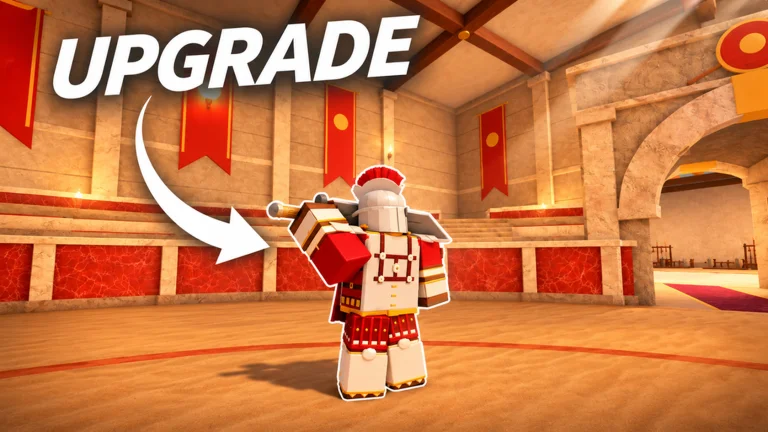
First Check: Is the Roblox Game Not Loading, or This Fan Wiki?
Before troubleshooting, confirm which one is failing: GloryBound is a game hosted on Roblox (Place ID 137629355240872), whereas gloryboundroblox.wiki is an independent fan-made guide website. If the wiki page loads fine in your browser but the Colosseum game freezes, crashes, or refuses to join a server, the issue is inside the Roblox client, your device memory, or Roblox server routing—not on this website.
1. Stuck on Infinite Loading Screen When Launching GloryBound
When GloryBound hangs on the Roblox loading screen for more than 60 seconds, stale client cache or an outdated Roblox build is the most common cause.
- Close the Roblox app completely (on PC, check Task Manager / Activity Monitor to ensure no background
RobloxPlayerBetaprocess is stuck). - Update the Roblox client from the official Roblox website, Apple App Store, Google Play Store, or Xbox/PlayStation store.
- Launch GloryBound directly from the verified official experience page (
roblox.com/games/137629355240872/GloryBound) instead of an old browser bookmark or third-party redirect. - If the game still stalls at loading, check Roblox's official status page (
status.roblox.com) to rule out a platform-wide outage.
2. Stuck Teleporting Into Survival, Trials, or Server Join Failed
Because GloryBound teleports squads from the 12-player Colosseum lobby into instanced Survival waves, Trials, and 4v4 PvP arenas, unstable Wi-Fi or full instances can trigger teleport timeouts.
- Wait 10–15 seconds before force-closing; Roblox instance creation occasionally pauses during peak player surges (20,000+ concurrent players during Update 5).
- Leave the current lobby and join a fresh public server from the Roblox Servers tab—older lobby instances right after a hotfix often fail teleport handshakes.
- Switch from crowded 2.4 GHz Wi-Fi to 5 GHz Wi-Fi or wired Ethernet if you repeatedly see Roblox Error Code 277 or 279 disconnects.
3. GloryBound Crashing on iPhone, iPad, or Android
High-wave Survival (Wave 41 Insane, Wave 61 Nightmare, and Wave 81 Ascension) spawns dense enemy packs and particle effects that can exhaust mobile RAM.
- Force-close all background apps (especially browsers, video apps, and screen recorders) before launching Roblox.
- Open the in-game Roblox Settings menu (
Roblox logo→ Settings) and switch Graphics Mode from Automatic to Manual, then lower Graphics Quality to level 1–3. - Keep at least 2–3 GB of free device storage so Roblox can cache arena assets cleanly without crashing mid-boss.
4. Low FPS, Lag Spikes & Stuttering on PC or Console
Even mid-range PCs can dip during crowded 4-player boss fights if Roblox graphics are maxed out or browser tabs are eating memory.
- Set Roblox Graphics Quality to Manual (bars 2–4) inside the Escape menu to cut particle overhead during Cerberus, Hades, and Hydra of Lerna AoE phases.
- Disable heavy browser extensions or hardware-accelerated video streams running on a second monitor.
- Check your in-game ping (
Shift + F3on PC); if ping exceeds 200 ms, server-hop into a closer regional lobby via the Roblox server list.
5. Codes Always Saying "Invalid" or J Menu Not Opening
Code failures almost always trace back to one of three quick fixes rather than a broken account:
- Finish the Tutorial First: You must complete the opening tutorial and your first arena match before the
Jkey or top-left gift box unlocks (see How to Redeem GloryBound Codes Step by Step). - Match Exact Spelling & Underscores: Enter codes in ALL CAPS (
UPDATE_4andUPDATE_3have underscores;UPDATE5does not) and delete any trailing space after copy-pasting from GloryBound Codes & Free Lucky Spins List. - Rejoin a New Server: Right after a patch drops, older servers may not validate brand-new codes until you switch servers.
6. When to Check the Official GloryBound Discord
If none of the fixes above resolve your issue—or if the entire game is temporarily shut down for a major update or hotfix—check the announcements channel in the official GloryBound Discord server linked through the Roblox experience Social Links (see Official GloryBound Trello & Discord Status). Do not trust unofficial "fix tools" or third-party scripts.
Verified Official Facts vs. Unconfirmed Details (as of Nov 22, 2026)
| Item | Verified Fact | Unconfirmed |
|---|---|---|
| Official Game Location | roblox.com/games/137629355240872/GloryBound (Group 133371363) |
Direct developer bug-ticket portal outside Roblox & Discord |
| Official Status & Outage Alerts | Official GloryBound Discord (via Roblox Social Links) + status.roblox.com |
Scheduled maintenance windows for future Update 6 patches |
Frequently Asked Questions
Why is GloryBound stuck on the loading screen?
Infinite loading screens usually happen when the Roblox client is outdated, a background Roblox process is hung, or you joined an older server during a live hotfix. Fully restart and update Roblox, then join a fresh server.
Why does GloryBound keep crashing on my iPhone or Android phone?
High-wave Survival and boss AoE effects use heavy memory on mobile. Close background apps, open Roblox Settings in-game, set Graphics Mode to Manual, and drop Graphics Quality to level 1–3.
Why am I stuck teleporting into Survival or Trials?
Squad instance teleports can fail on stale lobby servers or unstable Wi-Fi. Leave the lobby, pick a newer public server from the Roblox Servers tab, and retry.
Why do GloryBound codes say Invalid when I enter them?
Make sure you completed the tutorial and first arena match, entered the code in ALL CAPS with exact underscores (UPDATE_4 vs UPDATE5), removed trailing spaces, and rejoined a fresh server.
Where can I check if GloryBound servers are down for maintenance?
Check the official GloryBound Discord server (linked on the Roblox game page Social Links) for developer maintenance alerts, and check status.roblox.com for broader Roblox outages.
Player Notes & Corrections